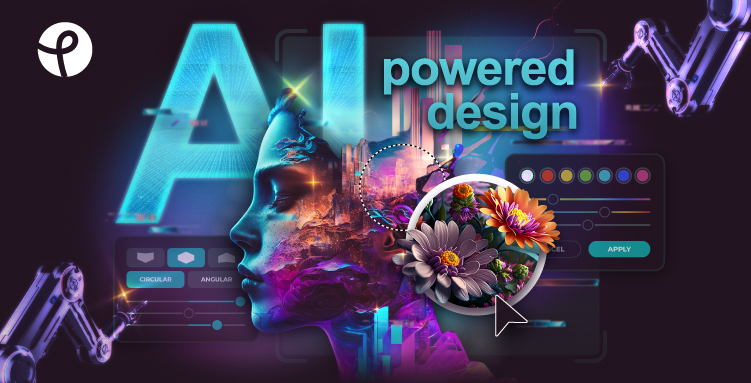
Pixlr is a comprehensive, cloud-based photo editing and design platform that leverages cutting-edge AI technology to empower creators of all skill levels. Accessible via web browser, mobile, or desktop apps, Pixlr offers an intuitive yet powerful suite of tools ranging from advanced photo editing features to innovative AI generative capabilities. Whether you want to edit photos, generate images from text, create stunning designs, or enhance your visuals with AI-powered effects, Pixlr provides the creative freedom and convenience at no cost with optional premium upgrades.
With over 15 years of experience in the online photo editing space, Pixlr has honed its technology to serve millions of users worldwide, delivering professional-grade editing, generative AI tools, and collaborative design templates that are easy to use and fast. Its AI-powered features like background removal, object erasing, AI face swapping, and generative fill help users produce content that was once only possible with complex desktop software.
Key Features
AI Image Generator: Transform simple text prompts into unique, AI-crafted images for digital art, marketing, or concept prototyping.
Generative Fill & Expand: Easily add or extend elements in your photos with seamless AI-generated content that blends naturally.
Background Removal & Change: One-click AI background erasing and customizable background replacement to enhance product shots or portraits.
AI Remove Object: Erase unwanted items from photos by simply outlining them, saving time on manual retouching.
AI Face Swap: Swap faces effortlessly with fun and realistic results perfect for entertainment or creative projects.
Photo Editing Tools: Includes smart resize, heal tool, clone, image eraser, multiple filters and effects (HDR, bokeh, glitch, dispersion, colorize), and advanced editing interfaces.
Design Tools: Create photo collages, mood boards, carousels, holiday cards, and more with customizable templates.
Batch Editor: Edit multiple photos at once to streamline workflows.
Product Shot Creator: Generate professional product images quickly with AI without studio setup.
Mobile and Desktop Apps: Access Pixlr on the go or from your computer with synchronized projects.
Learning Resources: Video tutorials, templates, and a supportive community.
Use Cases
Small Businesses & Entrepreneurs: Create eye-catching marketing visuals, product images, and social media content quickly without expensive software.
Graphic Designers & Creators: Utilize AI-powered creative tools to speed up design workflows and push artistic boundaries.
Photographers: Retouch images, remove backgrounds or unwanted objects, and upscale photos with ease.
Educators & Students: Accessible, budget-friendly editing and design tools for projects and presentations.
Social Media Managers: Produce captivating posts, stories, and ads with ready-to-use templates and effects.
FAQ
Q: Is Pixlr free to use?
A: Yes, Pixlr offers a fully functional free version including many AI tools and essential editing features. Premium plans unlock additional filters, higher-res exports, and advanced options.
Q: What platforms does Pixlr support?
A: Pixlr is browser-based and works on Windows, Mac, and mobile devices via dedicated apps for iOS and Android.
Q: Do I need technical skills to use Pixlr?
A: No! Pixlr is designed for both beginners and professionals with intuitive tools and tutorials.
Q: Can I generate images from text?
A: Yes, Pixlr includes a state-of-the-art Text to Image AI Generator that lets you create unique artwork with simple prompts.
Q: How secure is my data?
A: Pixlr follows industry standards for cloud data security and privacy, ensuring your projects and files remain safe.
Q: Can I collaborate with others?
A: While Pixlr primarily focuses on individual editing, projects can be shared externally for collaboration.
Q: Is there a trial for premium features?
A: Yes, Pixlr offers a 7-day trial to experience the full capabilities of the premium plan.
Q: What makes Pixlr different from Photoshop?
A: Pixlr provides highly accessible, AI-enhanced tools that run entirely online with no installation, making it easier and more affordable for most users.
Discover the future of creative editing with Pixlr – where AI meets artistry seamlessly for all your photo editing and design needs.