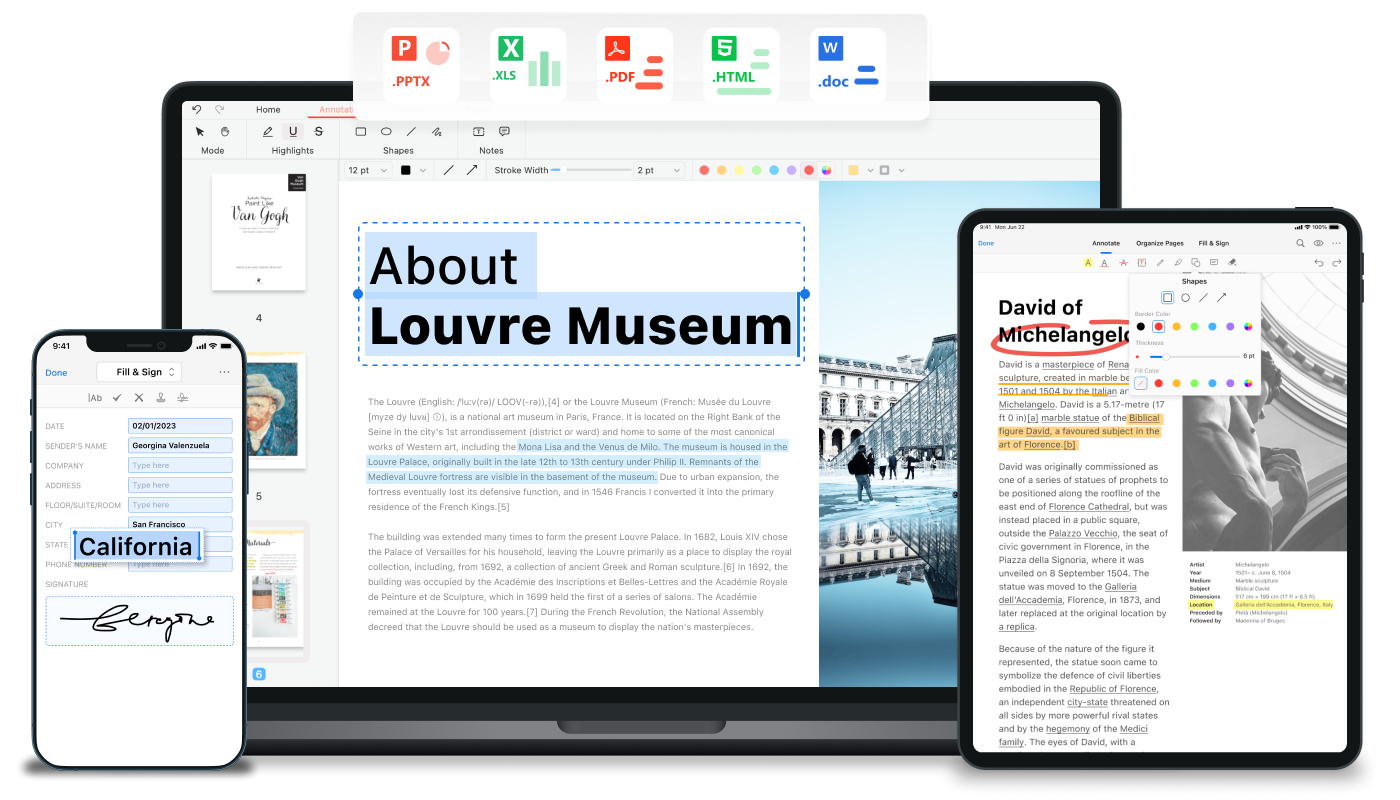
PDFgear is a comprehensive, free PDF editor software and online toolkit designed to simplify all your PDF tasks without any cost or sign-up. Powered by cutting-edge AI technology, PDFgear empowers users to effortlessly read, edit, convert, merge, sign, annotate, compress, fill forms, split, and organize PDFs on desktop and mobile devices. With a user-friendly interface and robust toolset available both offline and online, PDFgear offers seamless PDF management for Windows, Mac, iOS, and Android platforms.
Its versatile environment enables you to switch between desktop and web browsers, making it easy to work on PDFs anywhere. Trusted by more than 9,000 users with an average rating of 4.9 stars, PDFgear sets the standard for free PDF software by combining security, ease of use, and advanced AI capabilities.
Key Features
Edit PDFs Effortlessly: Modify text, images, shapes, signatures, links, and fillable form fields directly in PDFs just like editing a Word file.
AI-Powered Tools: Utilize AI to summarize documents, extract text from images, and intelligently handle tasks such as highlighting key information.
Multi-Format Conversion: Convert PDFs to and from Word, Excel, PPT, JPG, TXT, and more with batch mode support and lossless quality.
OCR Support: Extract text from scanned or image-based PDFs with support for 30+ languages, making documents fully searchable and editable.
Annotate and Markup: Highlight text, add notes, stamps, shapes, underlines, or strikethroughs to collaborate and review documents.
Merge & Split PDFs: Combine multiple files into one or split large PDFs into separate documents with ease.
Compress & Optimize: Reduce file sizes without compromising quality to facilitate sharing and storage.
Sign & Fill Forms: Add handwritten or digital signatures and fill PDF forms securely both online and offline.
Cross-Platform: Available as a free desktop app for Windows and Mac, and mobile apps for iOS and Android devices.
No Sign-Up & Privacy: Use all tools without account creation, ensuring privacy and data security.
Business Professionals: Edit contracts, annotate reports, sign agreements digitally, and convert files between formats while on the go.
Students & Educators: Highlight textbooks, fill forms, merge lecture notes, and convert PDFs for presentations or assignments.
Freelancers & Creators: Compress portfolios, redact sensitive content, and extract text from images to repurpose content.
General Users: Merge family photos into PDFs, scan documents for editable use, or annotate eBooks and manuals.
Whether you are managing office paperwork, academic materials, or personal documents, PDFgear offers the tools to streamline your workflow.
FAQ
Q: Is PDFgear really free without any hidden costs?
A: Yes, PDFgear provides all its core features completely free with no subscription or fees required.
Q: How secure is PDFgear with sensitive documents?
A: PDFgear prioritizes user privacy by allowing work offline and does not require sign-ups. The company also maintains a clear security statement to address concerns.
Q: Can I use PDFgear on multiple devices?
A: Absolutely! PDFgear supports Windows, Mac, iOS, and Android devices, enabling seamless PDF work across your laptop, tablet, and phone.
Q: Does PDFgear support OCR to convert scanned PDFs?
A: Yes, it supports OCR in over 30 languages, allowing you to make scanned or image-based PDFs editable and searchable.
Q: What makes PDFgear different from other PDF tools?
A: PDFgear integrates AI technology directly into the software for smarter PDF editing, offers batch processing for conversions, and is fully free without the need for accounts, making it both innovative and accessible.
Q: Can I sign PDFs using PDFgear?
A: Yes, PDFgear lets you add signatures either drawn or digital to legally sign documents securely.
Q: Is there customer support or tutorials to help me get started?
A: Yes, PDFgear provides extensive tutorials, video guides, and helpful articles on their website and YouTube channel to assist users.
PDFgear is your all-in-one, AI-powered PDF solution designed to simplify, secure, and enhance your document workflows at no cost.